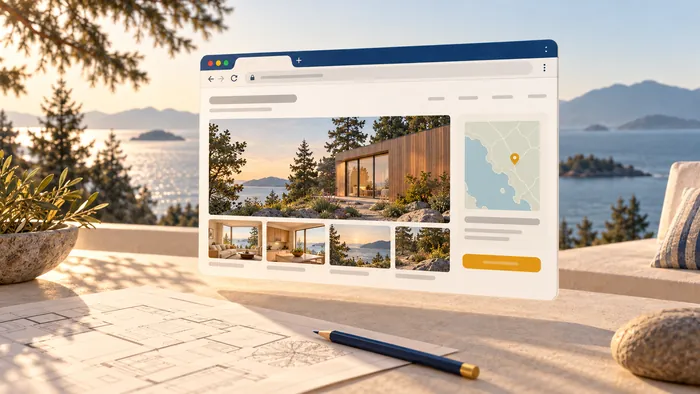
A real estate website needs six things: property search that works, listing pages with strong photos and facts, fast mobile design, simple lead capture, local content, and trust signals such as agent profiles. Everything else is optional. Below, we explain what each feature does, what buyers say they use, and what to build first.
TL;DR
- Start with search and listing pages. Buyers rate photos and property details above everything else.
- Design for phones first: visible search, click-to-call, short forms.
- Make the site usable with a keyboard and screen reader. Map-heavy search pages are where it breaks.
- Capture leads with a few clear steps, then route them to a person fast.
- Add local content and agent profiles so you rank and earn trust beyond the listings.
Start with what buyers open
The best guide to your feature list is buyer behavior. In the National Association of REALTORS® 2022 generational trends report, buyers who used the internet were asked what they found useful. Photos scored 84% and detailed property information 80%. Floor plans came in at 55%. Agent contact information and virtual tours each scored 43%, neighborhood information 37% and interactive maps 34%.
That order is a build order. Photos, facts and floor plans come first. Maps and neighborhood pages come next. Fancy extras come last.
Property search and IDX
Search is the main job of an agent site. If your market has real inventory, buyers expect to filter it themselves.
Features to include:
- Filters for property type, bedrooms, bathrooms, price, neighborhood, lot or interior size and amenities.
- A map view alongside the list view, so buyers can search by area.
- Sorting by price, date listed and size.
- Saved searches and listing alerts, so a visitor has a reason to come back.
- Live MLS data through an IDX feed, with the attribution your board requires on each listing.
Scale the filters to your inventory. A team with 15 listings does not need 30 filters. A brokerage with thousands does. Extra filters such as commute zone, school district or price per square foot can help buyers narrow a large set, but each one needs clean data behind it.
IDX rules differ by MLS and board, so check your board's display rules before you design the listing card. We build around those rules, not against them.
Listing pages that do the selling
The listing page is the real product. A buyer who lands here from search is close to a decision.
What a strong listing page holds:
- A large photo gallery that loads fast.
- Key facts above the fold: price, beds, baths, size, address.
- Floor plans where you have them.
- Video, virtual tours or drone footage for higher-value homes.
- Tax, HOA and other cost information where available. NAR advises including it so online shoppers can judge affordability.
- A map with nearby schools and amenities.
- One obvious next step: book a showing, ask a question, call.
It helps to look at how large portals do it. Realtor.com has described an augmented gallery that ties property details to image categories such as exterior or bathrooms. The idea is simple: the photo and the fact sit together. Property data tools show a similar approach, with facts, schools, maps and sales or tax history on one page.
You do not need a portal-sized budget. You need clean photos, complete facts and no dead ends.
Mobile design and navigation
Most buyers will meet your site on a phone first. Treat mobile as the main build, not a smaller copy of the desktop.
Google's real estate UX playbook recommends several moves that fit agent sites well. It points to a consolidated menu, visible search, sorting and filtering, click-to-call, legible text, short forms with autofill and descriptive buttons. Each one removes a small bit of friction.
In practice that means:
- A menu with five or six items: Search, Buy, Sell, About, Contact, and maybe Blog.
- A search bar on the homepage, not buried two taps deep.
- A call button that dials with one tap.
- Forms with the right keyboard for each field, such as the number pad for phone.
- Button text that says what happens: "Book a showing", not "Submit".
Speed belongs here too. Heavy photo galleries are the usual cause of slow pages. Our guide to what to measure and what to fix on a slow site covers the checks we run first.
Accessibility on search pages
Search results with maps and icon buttons are where many real estate sites fail disabled users. Recent guidance from UsableNet says search results should let screen-reader users move past maps that trap keyboard focus. It also says each listing's details should be grouped into one element, and icon buttons should be focusable and clearly labeled.
Turn that into a checklist for your developer:
- Every icon (save, share, next photo) has a text label.
- You can tab through listings and skip the map.
- Each listing card reads as one unit, not twenty loose fragments.
- Photos have useful alt text, such as "kitchen with island and gas range".
This is good practice and good business. A site that works for everyone reaches more buyers.
Lead capture, alerts and CRM
A site that gets visits but no inquiries is a brochure. Lead capture should feel like help, not a toll gate.
What works well on agent sites:
- A short contact form on every listing: name, phone or email, and a message.
- Saved searches and alerts, offered after a visitor has seen a few homes, not before.
- A home valuation or seller form on its own page for the sell side.
- Click-to-call and text options for people who dislike forms.
- A CRM connection so every inquiry lands in one place, tagged by source.
Speed of reply matters as much as the form. Decide who answers, how fast, and what happens after hours. If your volume is high, tools for lead routing and call automation can help distribute inquiries to the right person quickly.
Ask for less up front. Gating every listing behind registration pushes away early-stage browsers. Let them look, then invite them to save.
Local content and SEO
Listings change every week. Neighborhood and community pages stay. They are what give your site a reason to rank and a reason to trust you.
Blogging about market insights and local neighborhoods lets an agent share real expertise. Build one solid page per area you serve: what it feels like to live there, schools, commute, typical price range, and your recent activity. Add buyer and seller guides, plus financing information where it is relevant.
For the technical side, our post on the four SEO priorities agents should fix first lays out the order we would work in. If you are still choosing a platform, our comparison of realtor website builders explains the trade-offs by type.
Trust and agent profiles
Buyers and sellers hire a person. Your site should show one.
- A real About page with your photo, your story, your areas and your license details.
- Reviews and testimonials that come from real clients, shown with permission.
- Recent sales or past work you can verify.
- Clear contact details on every page.
- Brokerage and board identification as your local rules require.
Do not invent proof. A short, honest profile beats a polished one that cannot be checked.
How to prioritize your list
You cannot build everything at once. Use this order:
| Priority | Feature | Why it comes here |
|---|---|---|
| 1 | Listing pages and search | Buyers rate photos and facts highest |
| 2 | Mobile layout and speed | Most first visits happen on phones |
| 3 | Lead forms, call button, CRM link | Turns visits into conversations |
| 4 | Neighborhood pages and blog | Builds search traffic over time |
| 5 | Alerts, virtual tours, valuation tool | Adds depth once the base works |
| 6 | Accessibility audit | Keeps the site usable for everyone as it grows |
Treat the site as a long-term asset. Cheap builds often need repeated fixes, which costs more in the end. If you are budgeting, see what a real estate website costs in Canada and what upkeep adds.
Our view on realtor sites
Most agent sites we see are built from a template and a feed, and they look like every other agent site. The feed is not the problem. The problem is that nobody decided what the site should do for this agent.
We start with one question: what should a visitor do next? Then we shape search, listing pages and forms around that answer. We keep you in the loop from first sketch to launch, so you see the work and can say what feels wrong.
We also think automation belongs in the plan from the start. Routing inquiries, sending follow-ups and updating your CRM are repetitive jobs. A site that handles them frees you for showings.
Loic
Build it with us
We are an independent studio in Kelowna and Vancouver, BC. We design and build custom websites, apps and automation for business owners in Canada and the US, including realtors and property managers. Read about our web design and development work, or see everything we offer on our services page.
Tell us how you sell and where your leads come from. We will scope the features that fit and leave out the ones that do not.
FAQ
What should a real estate website include?
At minimum: property search, detailed listing pages, an About page, easy ways to contact you, and local content. Buyer and seller guides and financing information add value. Nextdoor's list of must-haves covers similar ground, including a blog and multiple contact channels.
Do I need IDX on my real estate website?
If you want visitors to search live MLS listings on your own site, yes. IDX is the usual way to do it. Your board sets display and attribution rules, so check them before you design the listing cards.
What matters most on a listing page?
Photos, then detailed property information, then floor plans. That is the order buyers rated them in the NAR 2022 report. Add video, tours and cost details where you have them.
Is a blog worth it for a realtor?
Yes, if it is local. Neighborhood guides and market notes show expertise and give search engines more pages to rank. A few strong area pages beat many generic posts.
Sources
- NAR 2022 Home Buyers and Sellers Generational Trends report
- NAR: Make Sure Your Online Listings Shine
- Realtor.com Tech Blog: Augmented Gallery with Property Details
- RPR: Property Details, a Home and its History
- Google: Real estate UX playbook
- UsableNet: Real Estate Website Accessibility
- Realtor.com: 6 things all real estate websites can't live without
- Nextdoor: 12 Must-haves for a strong real estate website
- RevRing: Real estate calling and lead routing