
WellRelay
Oilfield operations software
From the field to a clear record.
See the field in 3D, capture a collection ticket, and turn reviewed details into a report the office can use. WellRelay pairs an illustrative web and mobile demo with a Team workspace for your own assets, manual records and follow-up.
The 3D field and readings shown here are fictional. The separate Team workspace starts with the assets and manual records you enter; it has no live telemetry or equipment control. Field use still needs an operator-led pilot and validation against that team’s workflow.
More of the app
The brief
Make a field ticket easy to capture, check and pass to the office without losing its source photo.
Our part
Product design, web dashboard, animated field views, a separate iPhone and Android app, and Firebase team records shared across web and mobile.
Start with the whole field
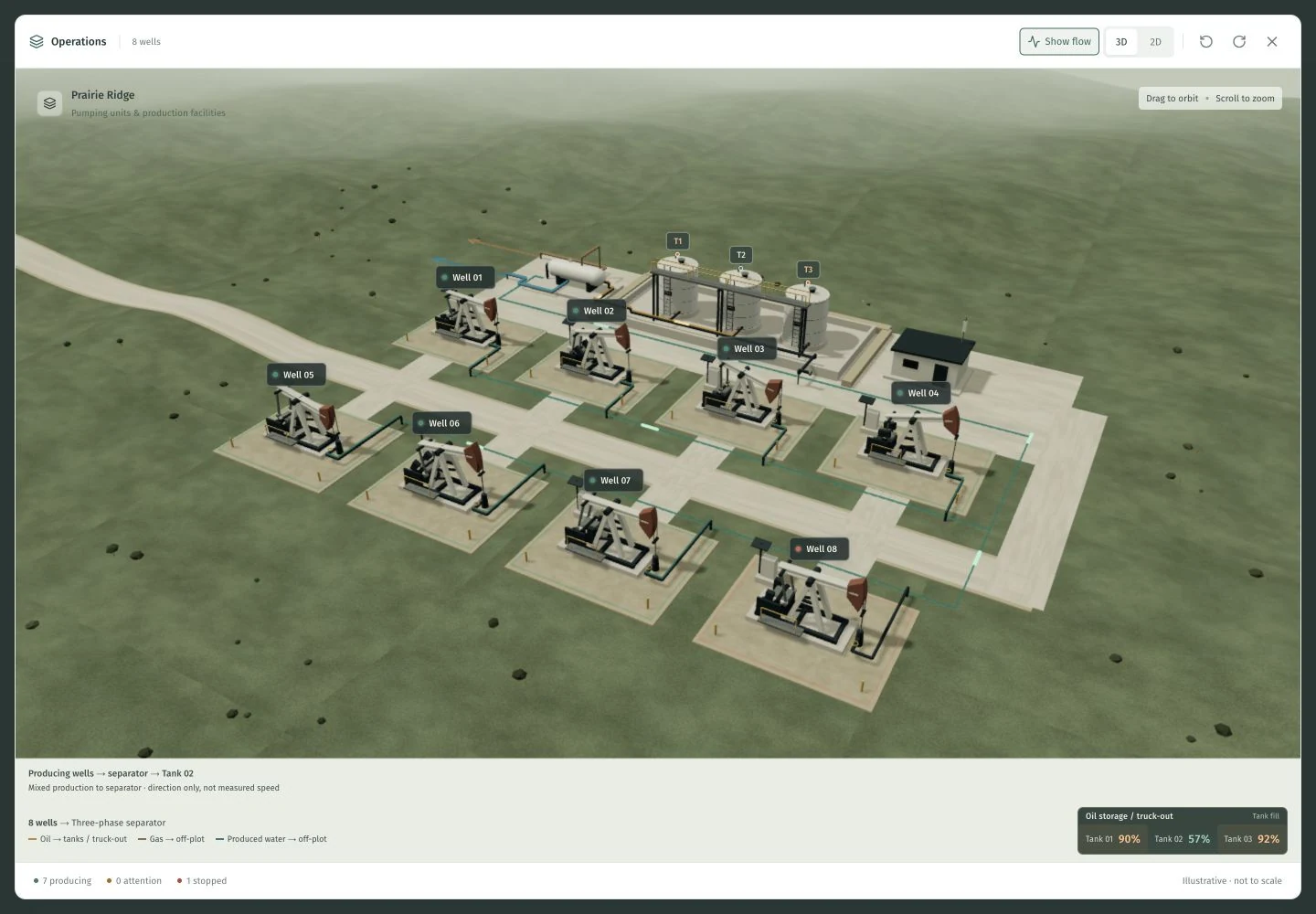
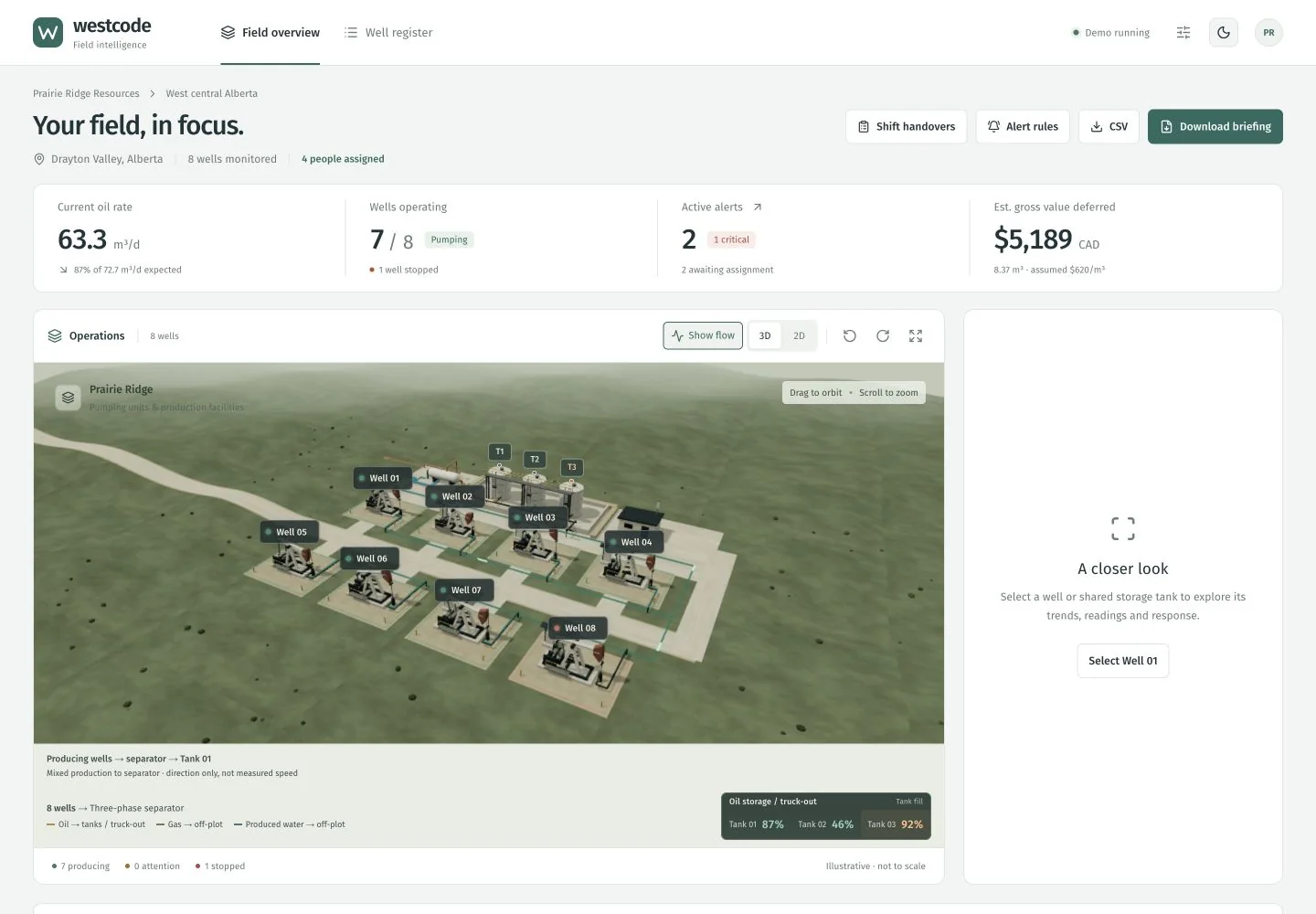
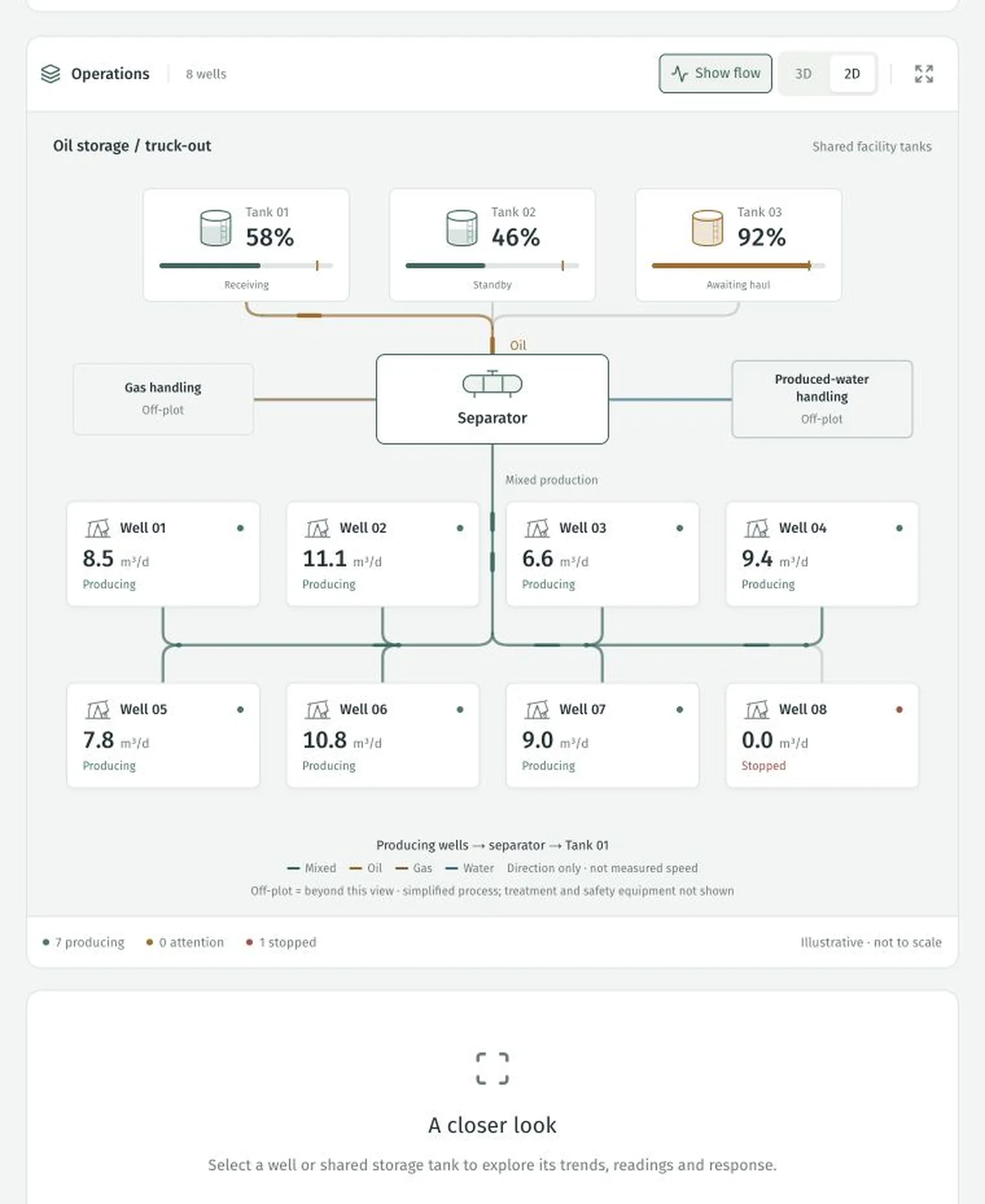
Eight demonstration wells feed three shared tanks. Switch between an animated 3D scene and a clear 2D process view, then select an asset for its readings, trends and response. Flow markers show direction; the layout is illustrative and is not a surveyed facility plan.
See the field. Follow the work.
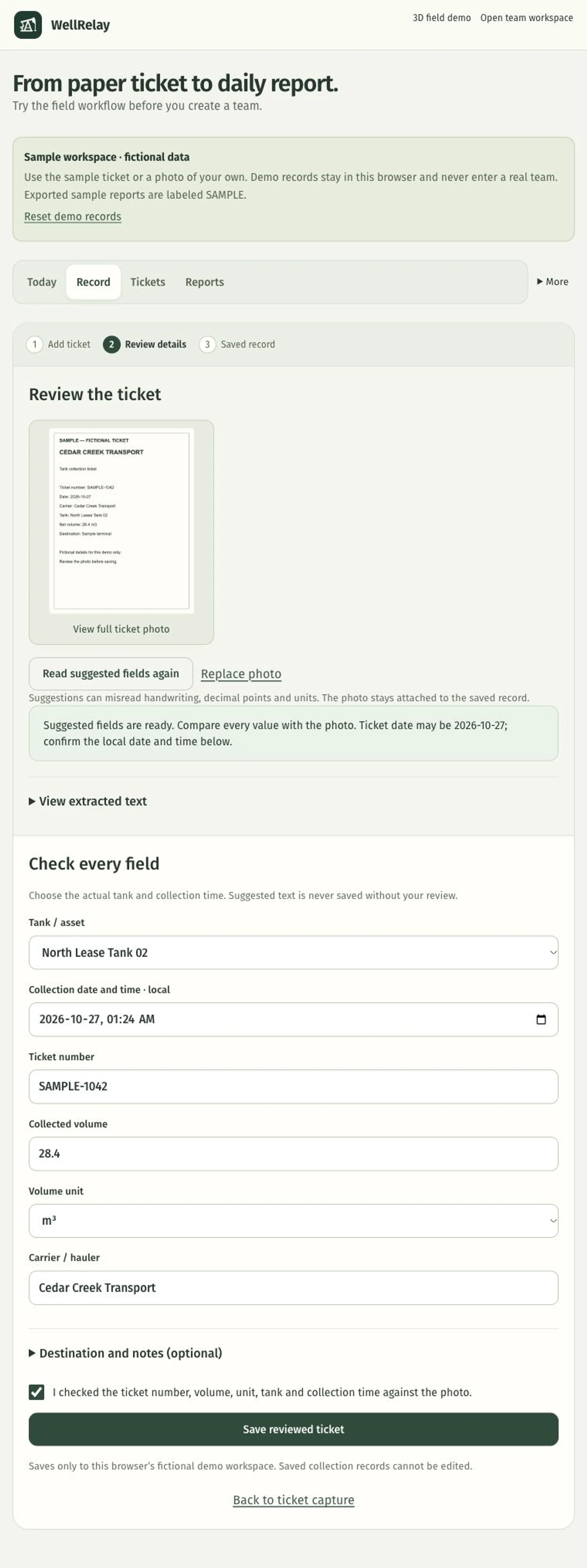
The 3D scene introduces the field. The ticket workflow shows how a captured record reaches a reviewed office report.
Give each exception a next step
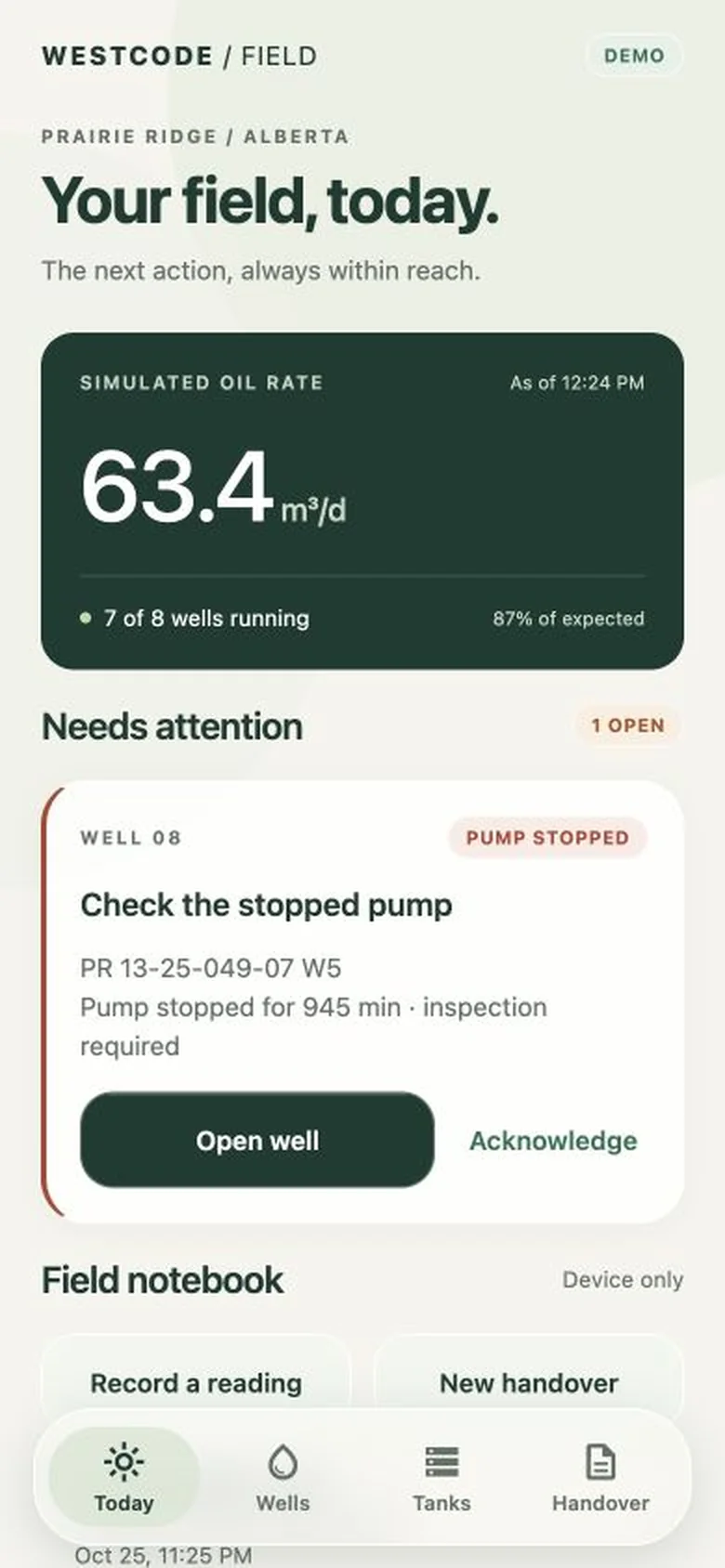
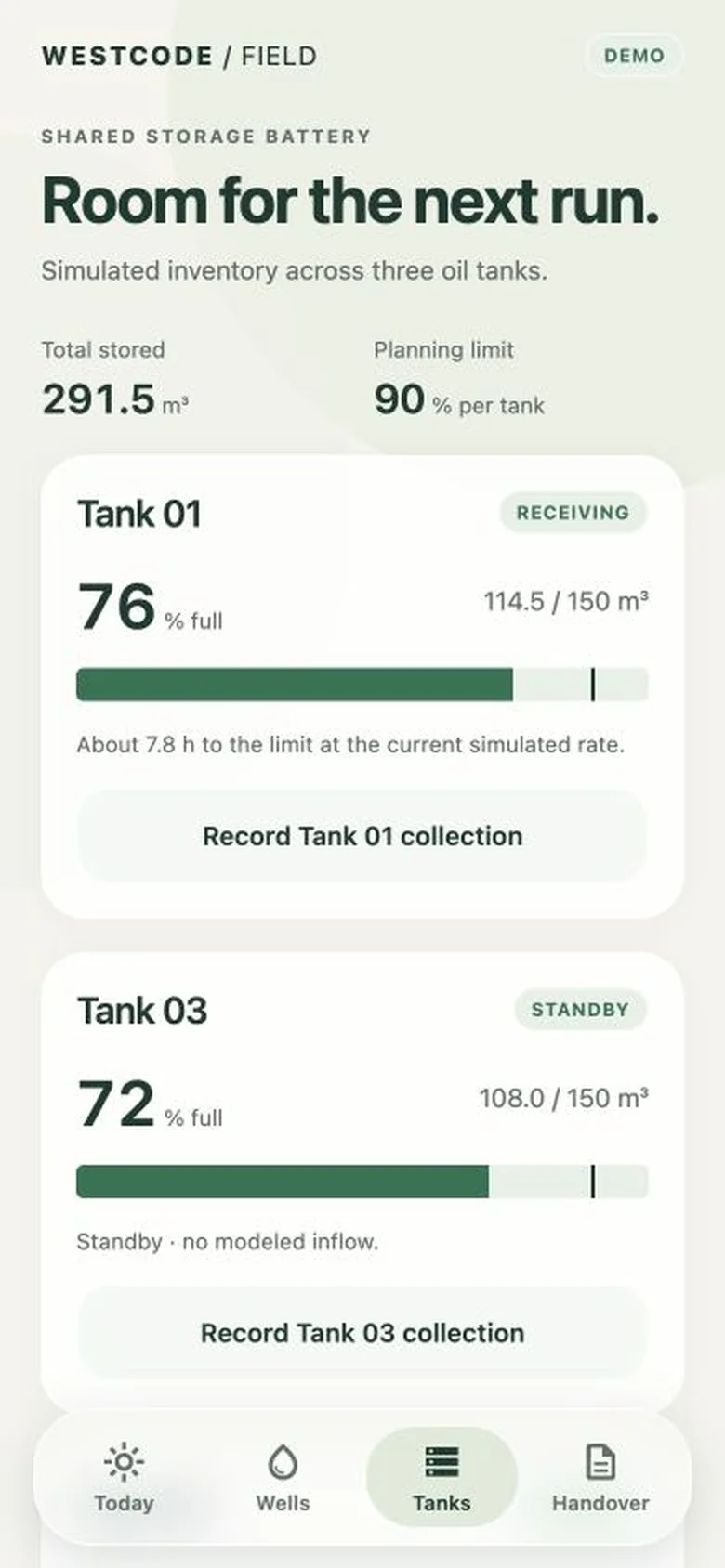
A stopped pump and a high tank level make the demo concrete. The well register brings attention items forward. The web dashboard lets you explore alert responses, record a tank collection with its ticket, and carry the details into a shift briefing.
A 3D field on the phone
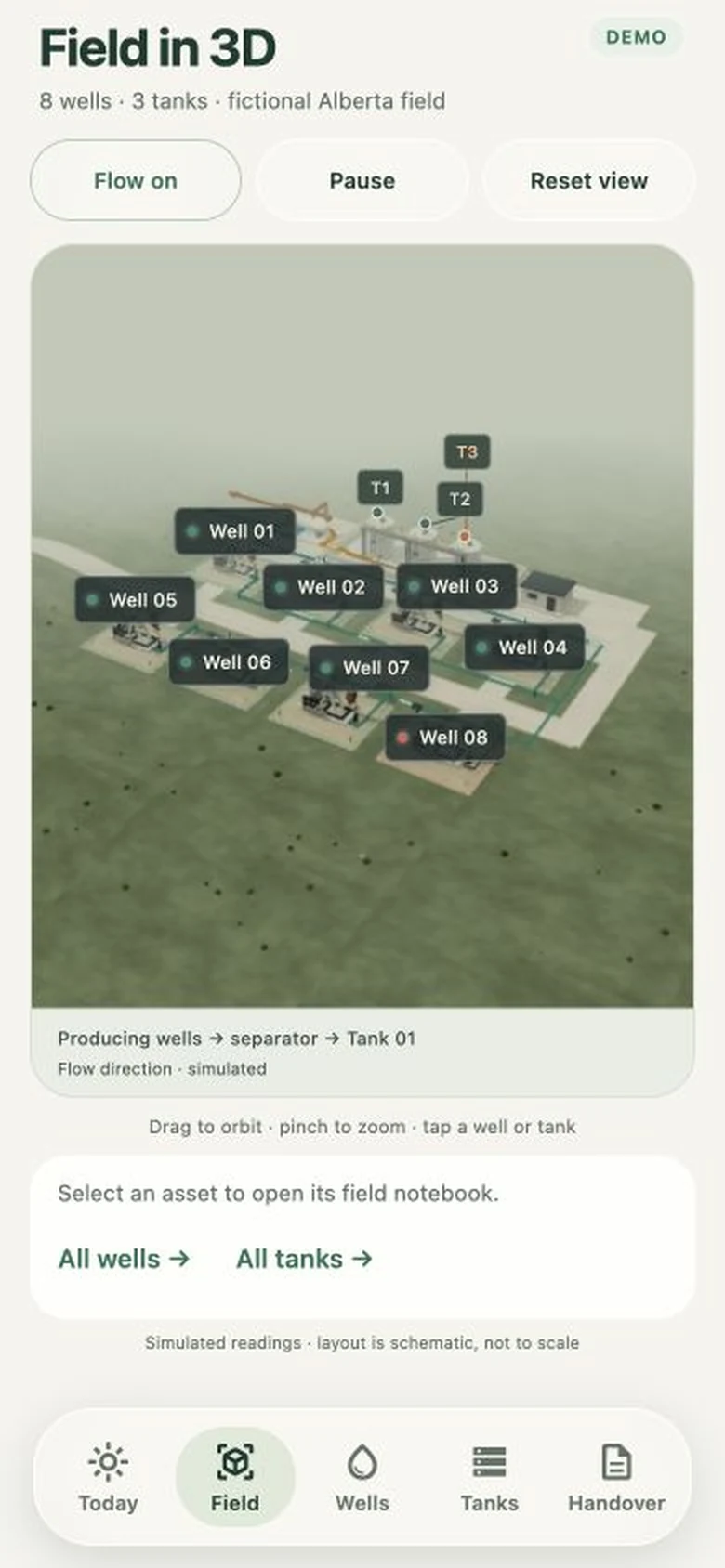
The mobile Field screen brings the interactive scene into the round. Drag to orbit, pinch to zoom and follow the animated flow toward the tanks. Select a well or tank, then open its notebook or collection form. The scene is bundled with the app.
A clear place for each task
Today shows the next actions. Record starts an observation or collection ticket. Tickets keeps the records and their photos together, and Reports prepares the office export. Issues, handovers, assets and team setup remain available under More. Named accounts share confirmed records across the phone and website; local saves show when they still need to sync.
From ticket photo to reviewed record
Take or choose a photo, read its printed text on the device, and check the suggested details against the image. Confirm the tank, volume, unit and date before saving. The photo stays with the ticket as evidence; manual entry remains available when the text reader cannot help.
Give the office the columns it needs
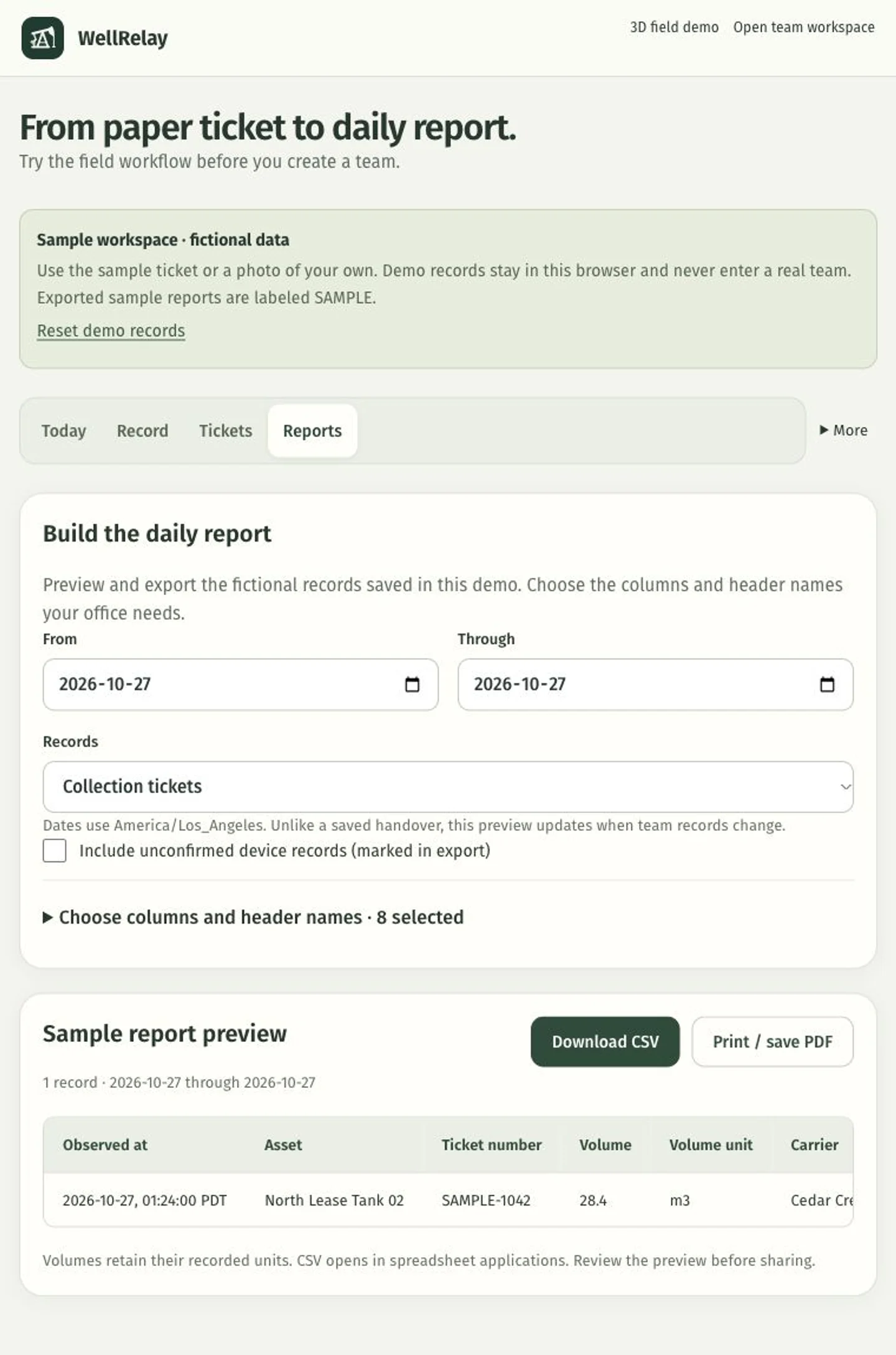
Choose a reporting period, select and arrange columns, and rename their headings before exporting a CSV. Preview the rows first, or open a printable report on the web. Confirmed records are included by default; adding pending records keeps their sync status visible. This is a configurable export, with no accounting-system connection claimed.
Give the next person a usable handover
Team handovers collect confirmed observations and tickets from an explicit period, together with unresolved issues. Each issue can have an owner, next action and due time; resolving it requires completion evidence. Capture refreshes the shared records first and freezes the handover. The next person can acknowledge receipt without closing the work.
Prove the workflow with a field team
The next step is to test real tickets, rounds and relief handovers with an operator and supervisor. We need their source documents and required report format to judge whether capture is accurate and whether the export fits. The Team workspace provides a starting point; live telemetry, customer integrations and customer results are not claimed.
Bring one ticket and the report it needs to become.
Walk us through a recent collection and the spreadsheet your office uses. We can test the capture, review and export with your team, then measure whether it removes a second round of data entry.