
Westcode Field
Oilfield operations software
The field. The round. The next shift.
Follow production from the well to the tank, see what needs attention, and leave a clear record for the next shift. Westcode Field brings those jobs into a working web demo and a mobile field notebook.
This is a studio-built demonstration using a fictional field and simulated readings. It is available to explore now; a production deployment would need your data sources, operating rules and field testing.
The brief
Make the path from a field overview to a useful next-shift record easy to follow.
Our part
Product design, web dashboard, animated field views, shared domain model and a separate iPhone and Android app.
Start with the whole field
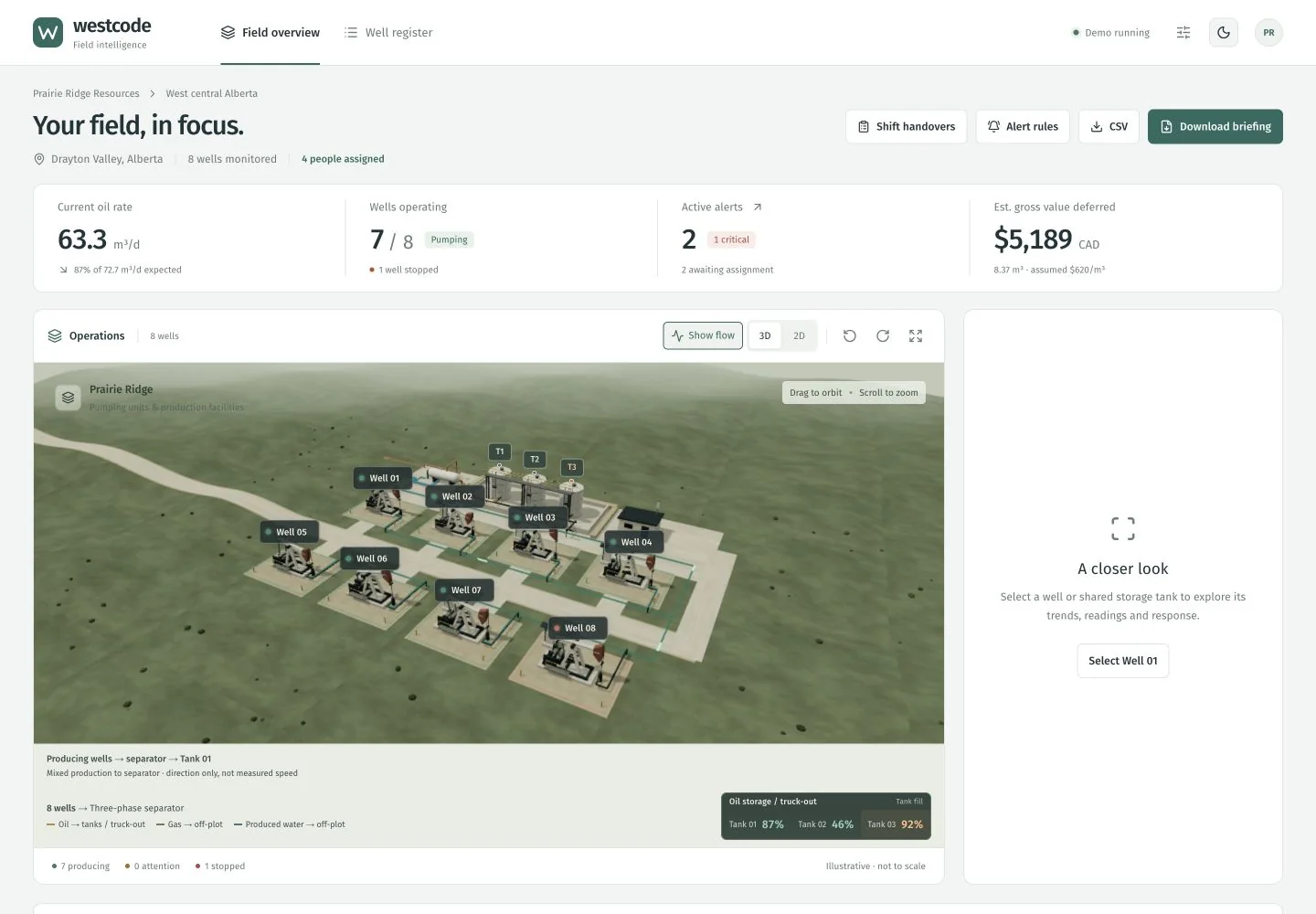
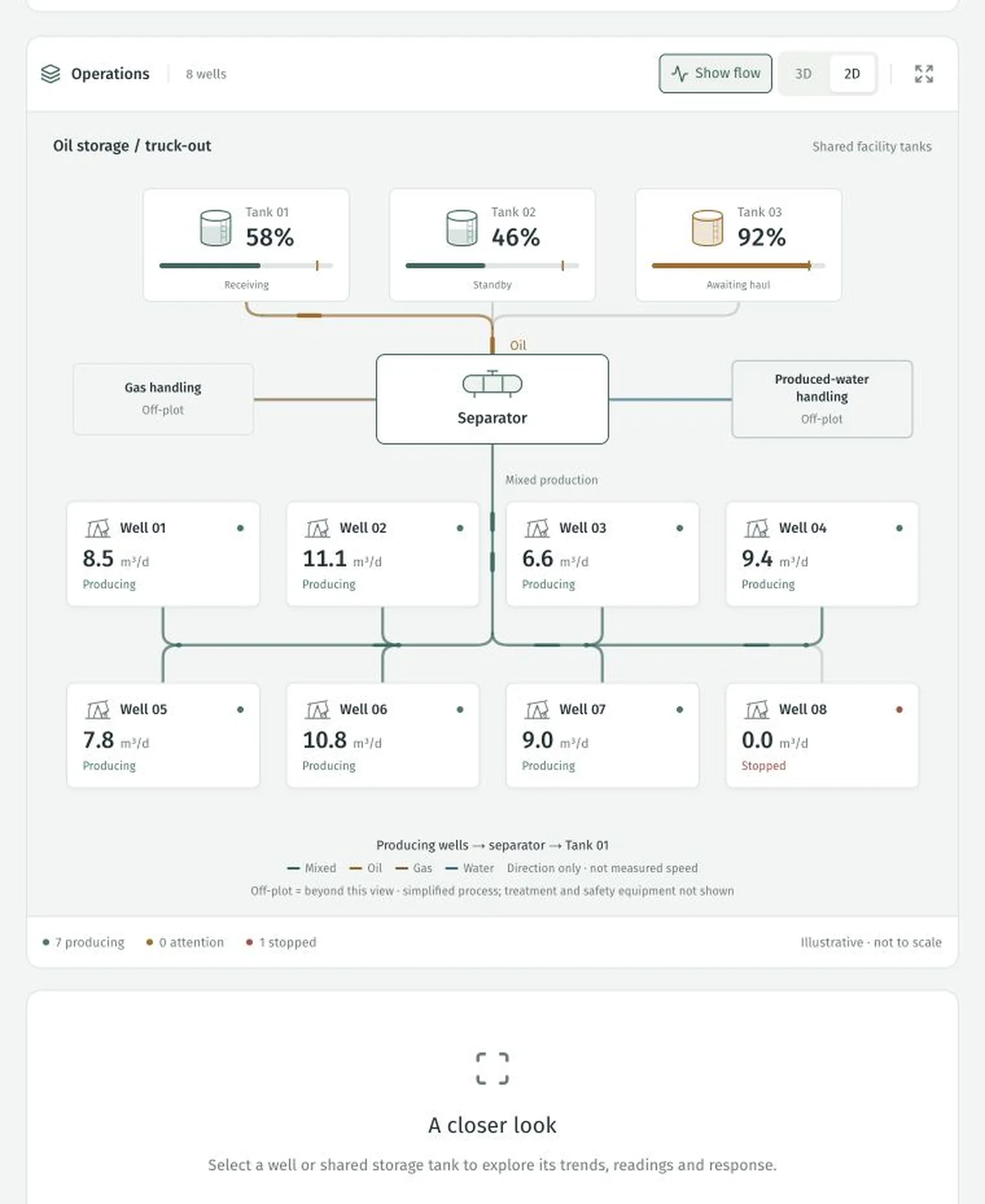
Eight demonstration wells feed three shared tanks. Switch between an animated 3D scene and a clear 2D process view, then select an asset for its readings, trends and response. Flow markers show direction; the layout is illustrative and is not a surveyed facility plan.
Follow the flow
A simplified process view connects producing wells, separation and shared storage. Every number here belongs to the demonstration.
Give each exception a next step
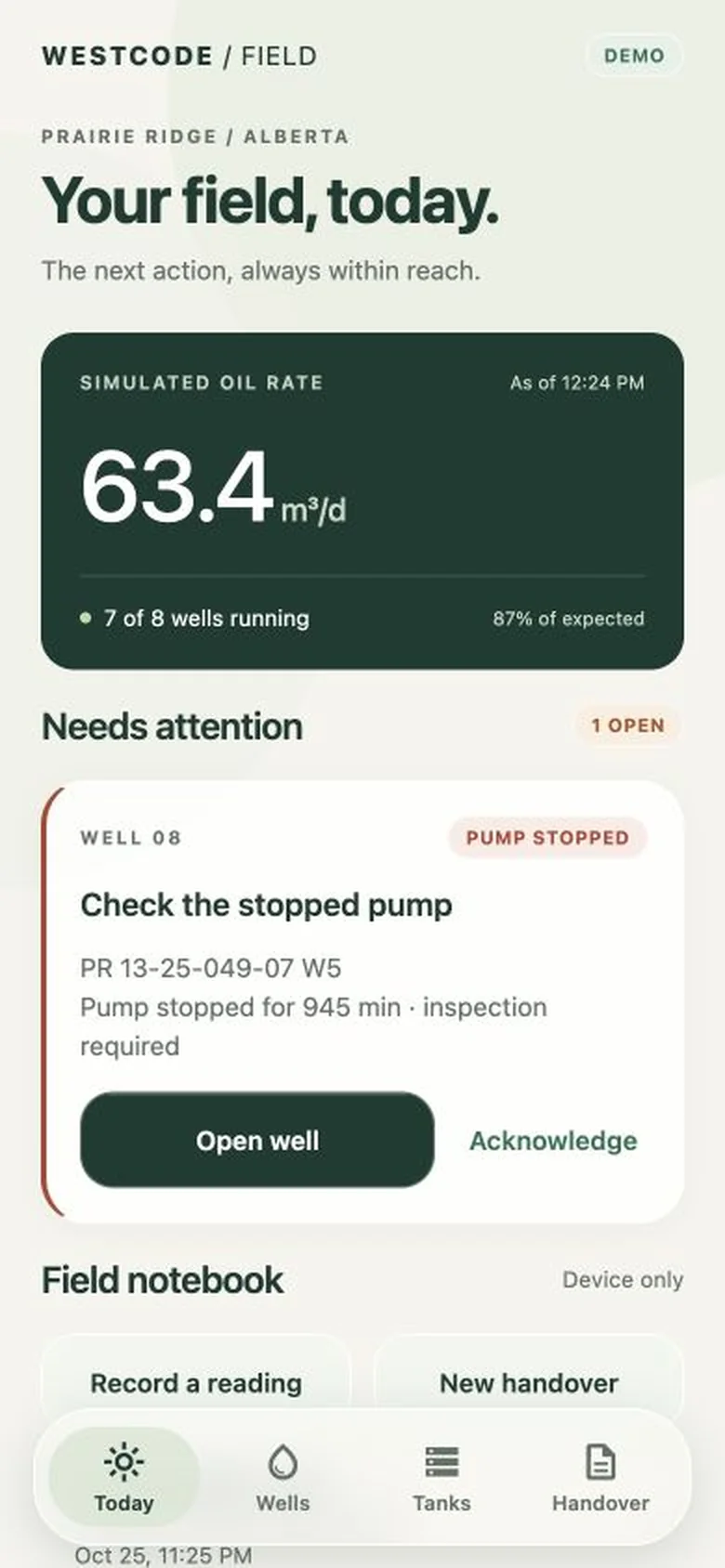
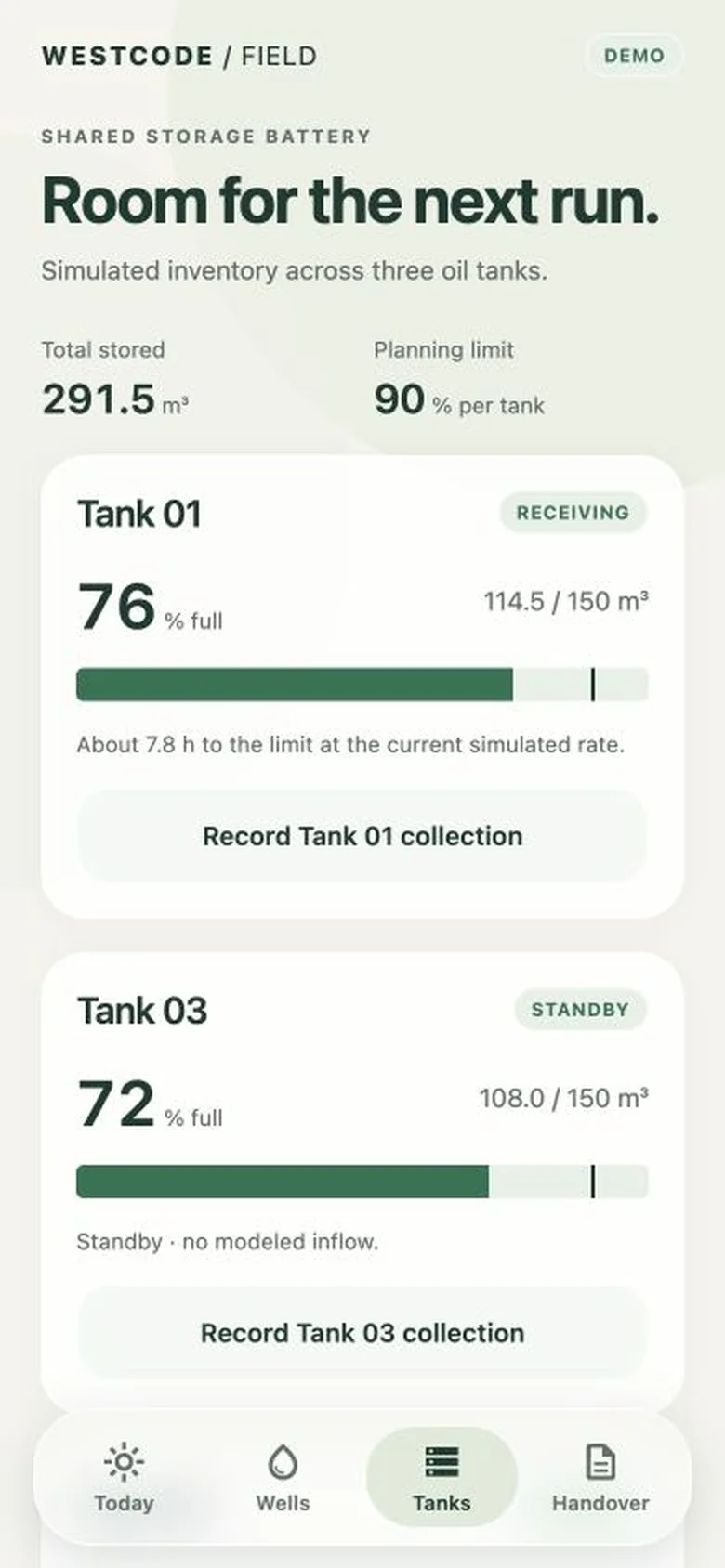
A stopped pump and a high tank level make the demo concrete. The well register brings attention items forward. The web dashboard lets you explore alert responses, record a tank collection with its ticket, and carry the details into a shift briefing.
A 3D field on the phone
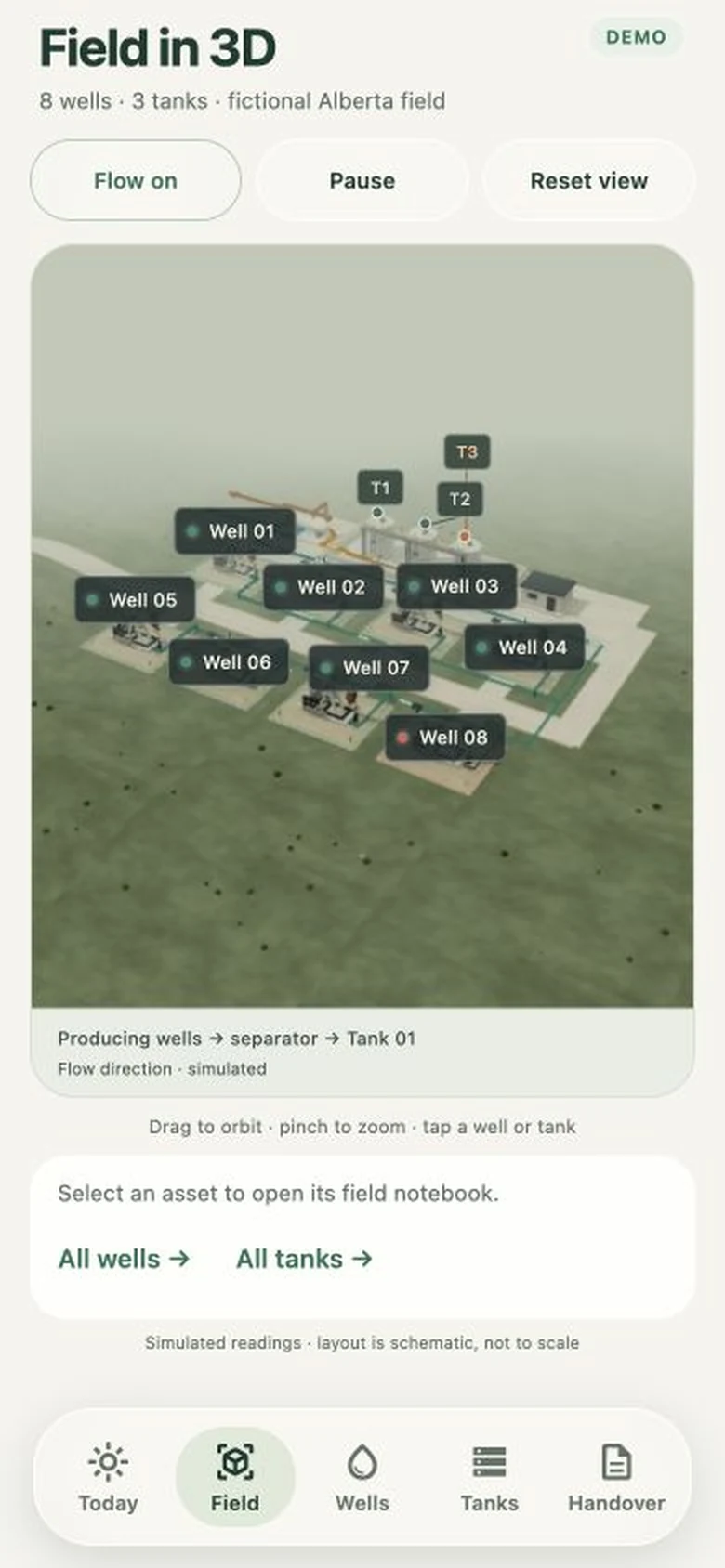
The mobile Field screen brings the interactive scene into the round. Drag to orbit, pinch to zoom and follow the animated flow toward the tanks. Select a well or tank, then open its notebook or collection form. The scene is bundled with the app.
A notebook for the field round
The iPhone and Android app is being built around five screens: Today, Field, Wells, Tanks and Handover. Record a manual observation, a collection or a handover snapshot. The current mobile version saves these records on the device; it does not synchronize them with the web demo or other people’s phones.
Leave a record someone can use
The web demo includes CSV export, a PDF briefing and saved handover snapshots. The mobile version keeps its own handovers and opens the phone’s share sheet when you choose to share one. Manual observations remain distinct from the simulated readings.
From demonstration to a field pilot
The next useful step is to work with an operator on a specific workflow. Connecting telemetry or SCADA, introducing named team accounts and shared records, and testing under real field conditions would be scoped with that operator. The demo shows the experience we can build; it is not a live monitoring or control system.
What would make your next field round easier?
Bring a sample report, the systems you use and the handover that takes too long. We can scope a pilot around one useful workflow, then test it with your team.